
For organizations
You saw your members at work. Say so.
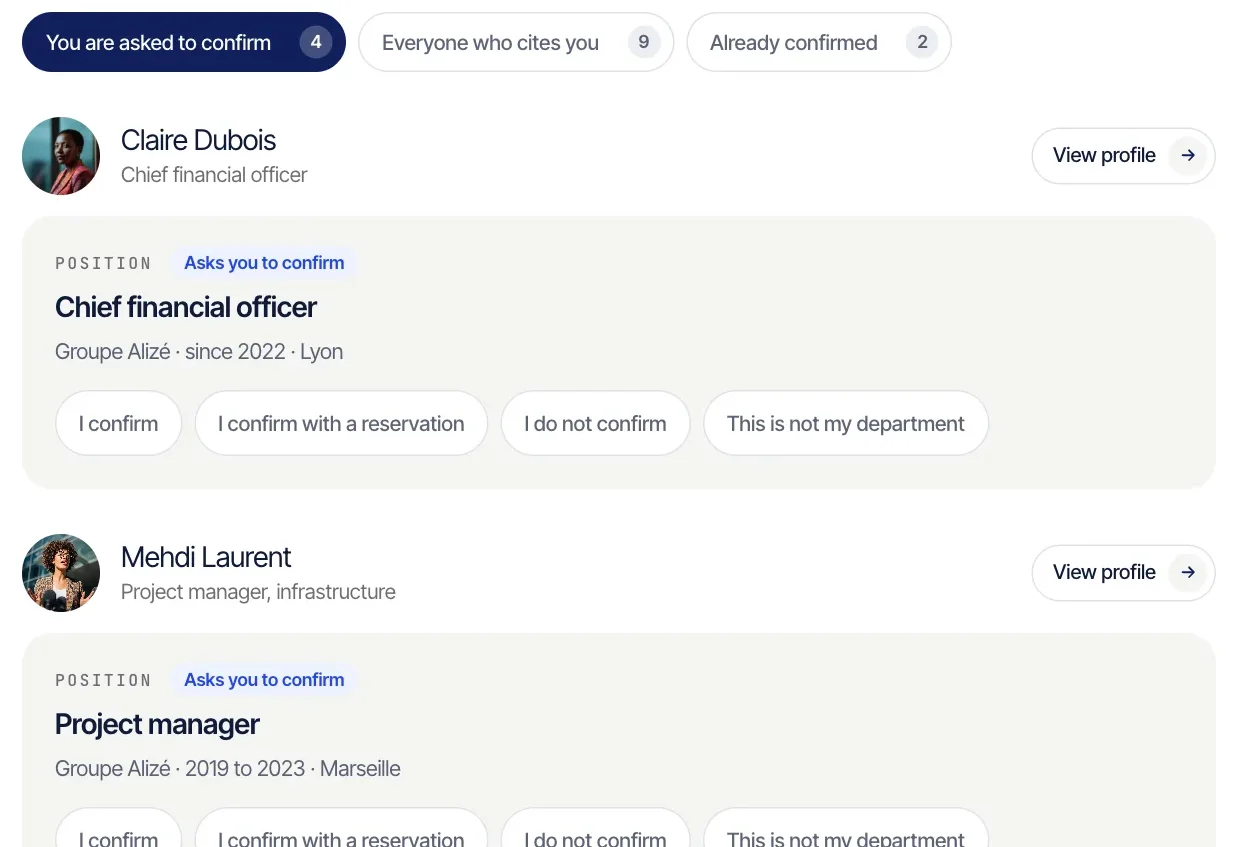
A degree awarded, an admission granted, a term served, a project carried out with you. You confirm each line in one step, and it appears under your name on your member’s page.
What your organization gains.
- 1
Your members carry your name.
Every line you confirm shows on their page as “Confirmed by”, followed by your name. Whoever finds them finds you too.
- 2
You see where they are now.
When a member changes role, city or country, they update their own record. You see them as they are today, alumni included.
- 3
They find one another.
The members you admit get a directory that only your members can open. Each one chooses whether to appear in it.
- 4
Your register keeps itself current.
Every admission is entered with its date and its group. You export it to a file whenever you need it.
Here is how it starts.
- 1
A member names you
They add to their record the degree, admission or office they hold from you. You receive a link to your confirmation space.
- 2
You confirm in one step
You open the link, with no account and no password, and answer line by line. Confirming is free.
- 3
You open your Studio
Whenever you like, from that same space, with an address at your own domain. You sign in with a code sent by email.

If no member has named you yet, introduce your organization and we will set up your space with you.
The Studio, in plain terms.
The Studio is your organization’s own space on Certifive. Here is what you do there today.
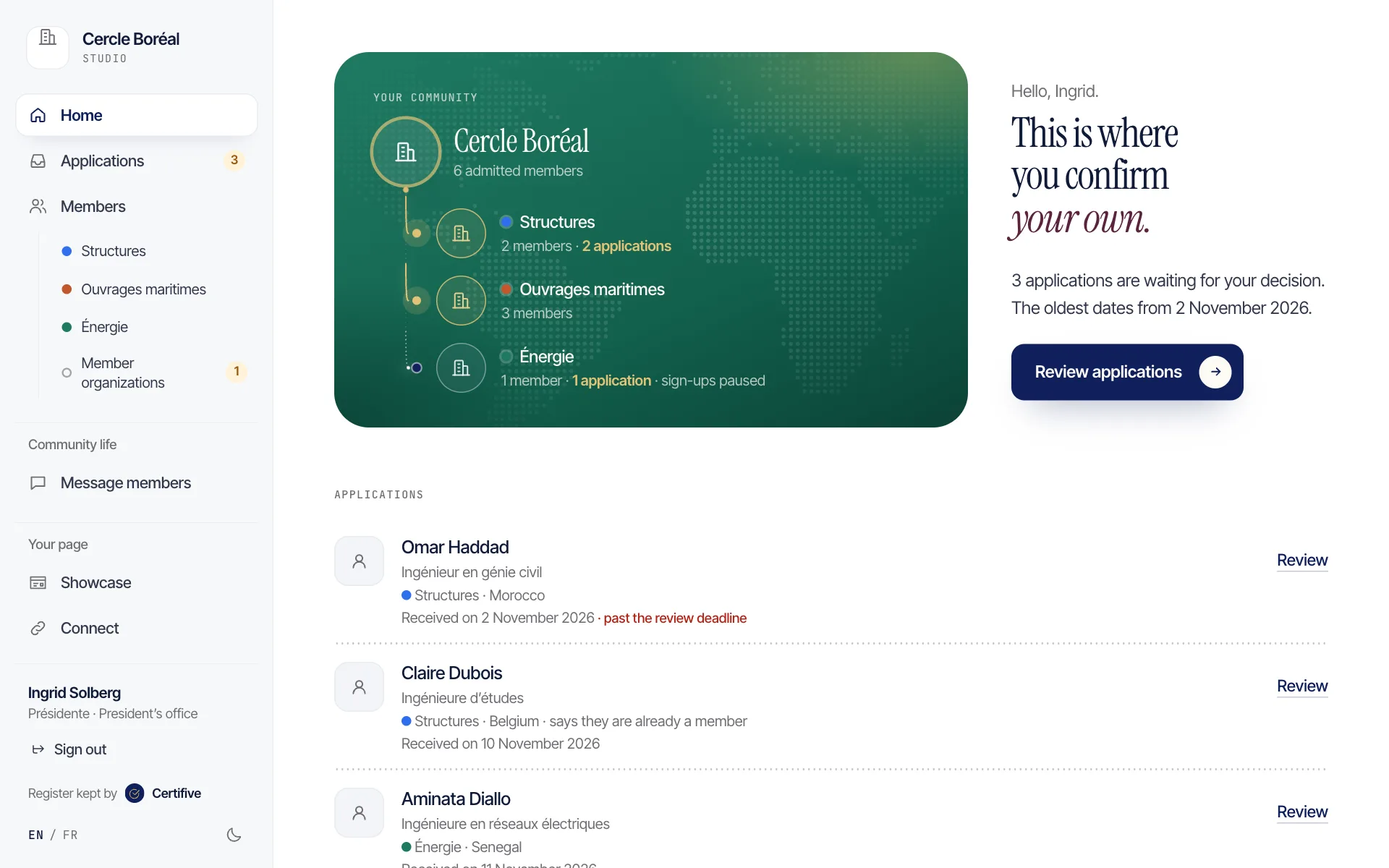
Admit and confirm
Applications come in, and you decide who joins. Certifive writes your decision to the applicant and enters it in your register.
Register and directory
All your members in one place, by group, with their role and city. The directory opens to them alone.
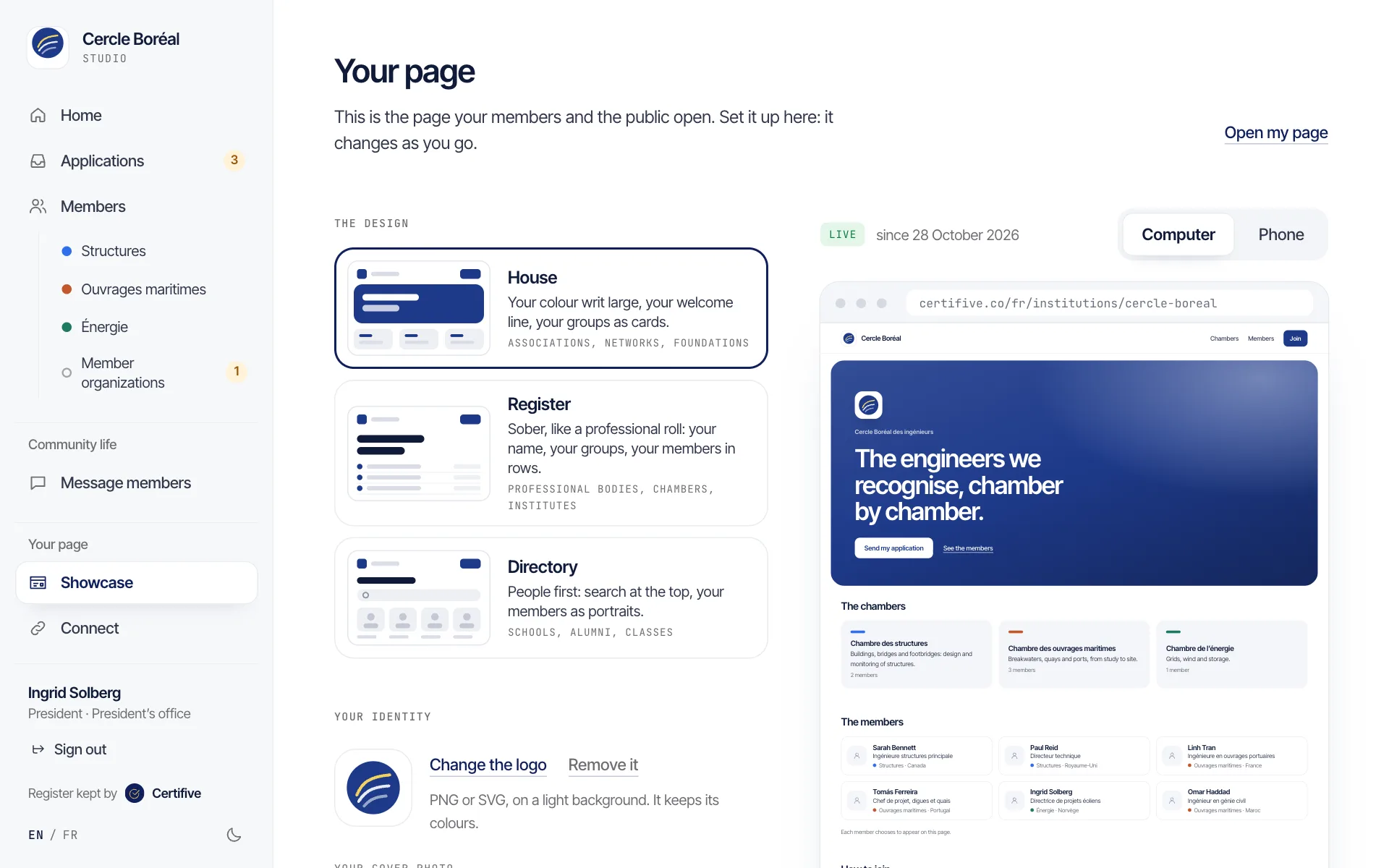
Your public page
A page in your colours, with your logo, your groups and the members who chose to appear. Three layouts to choose from.
Writing to your members
Your message goes to one group or to everyone. You see how many people will receive it before it leaves.
Your colleagues and your website
You invite colleagues, each with their own level of access. A sign-up link and its QR code go on your website.
- The Studio is neither a social feed nor a ticketing tool. For those, you keep the tools you already have.
Your members stay your members.
Only your members see your directory.
It shows no contact details, and anyone can take themselves off it.
Nothing goes out in your name without you.
You send each message yourself, after seeing who will receive it.
Certifive never recommends another organization to them.
Not by notification, not by email. And no place here can be bought.
Confirming is free.
For you and for your members.

On request
We can keep your register.
The Institut Francophone d’Économie Maritime (IFEM) admits the experts of its chambers. Certifive keeps their register, at the Institute’s own address and in its colours.
 Institut Francophone d’Économie MaritimeSee the IFEM register
In preparation
What we are working on.
Your announcements, shared by your members as far as neighbouring organizations. A calendar, the requests addressed to you, dues and each member’s up-to-date status.
None of this is live yet. The demonstration shows it, with fictional organizations.
Introduce your organization.
Tell us who you are and who your members are. We reply within two working days and open your space with you.